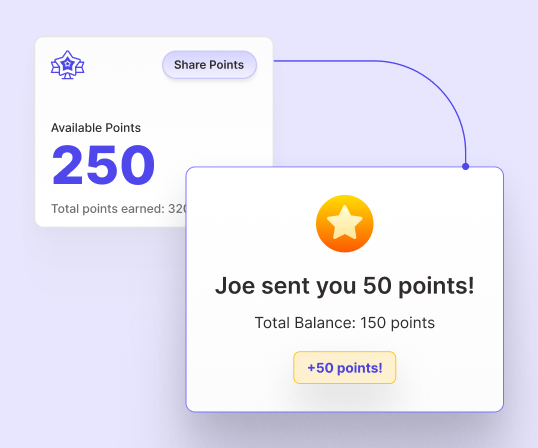
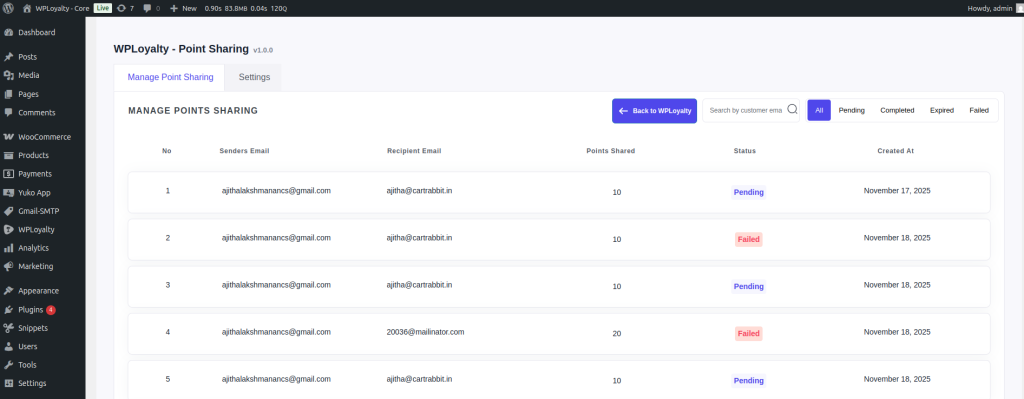
The WPLoyalty – Points Sharing Add-on enables your customers to share their earned points with friends and family, fostering stronger connections, higher engagement, and a more vibrant shopping community.
The WPLoyalty – Points Sharing Add-on allows your customers to share their earned loyalty points with their friends and family. Whether it’s a gift, a reward, or simply a gesture of appreciation, customers can easily transfer their points to others.
By enabling this feature, you turn your loyalty program into a community experience, encouraging customers to share the joy of earning and spending points.
Why does your store need a WooCommerce Points Sharing Add-on?
The WooCommerce Points Sharing Add-on transforms your loyalty program into a powerful engagement tool. It allows customers to share points, spread excitement, and invite more people to interact with your store.
Increase customer engagement: Shared points encourage both the sender and receiver to return, redeem, and make additional purchases.
Boost customer base: Every shared point introduces your store to potential new customers, helping you grow organically.
Build loyalty through sharing: Customers love flexibility, and giving them the ability to share rewards strengthens trust and satisfaction.
No third-party plugins needed: WPLoyalty’s built-in Add-on ensures seamless integration with your existing setup.
Cost-effective & easy to use: Activate, configure, and start sharing in just a few clicks.
Turn your loyalty program into a social, shareable, and rewarding experience – one point at a time.
How does the Points Sharing Add-on Work?
To get started, visit the WPLoyalty dashboard in your WordPress site and click on Add-ons. Find the Points Sharing Add-on and simply activate it.
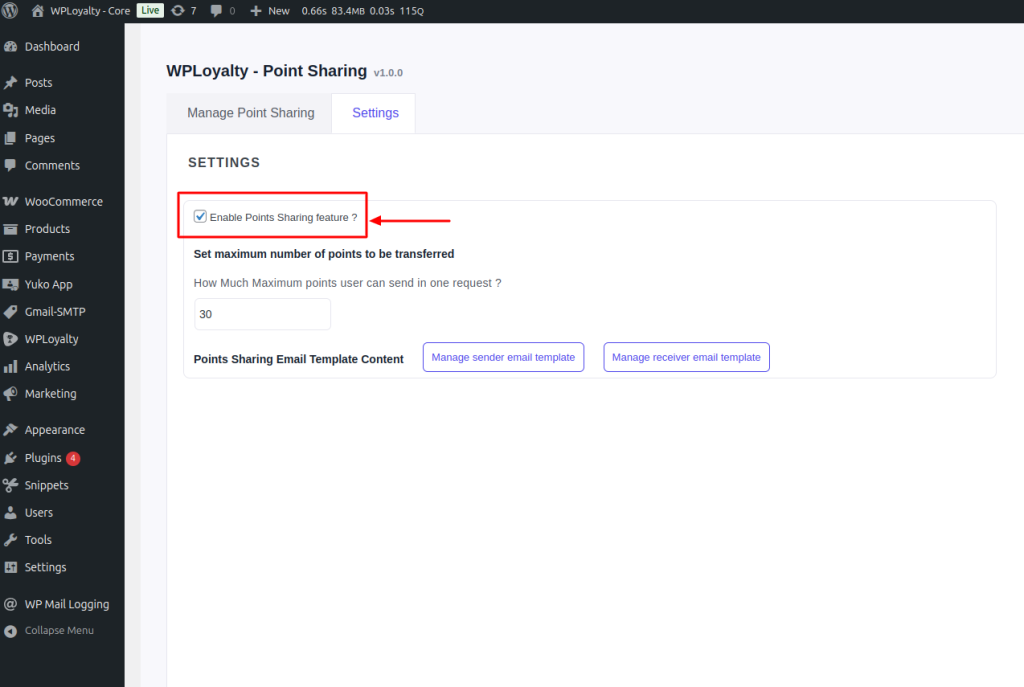
Step 1: Enable the “Point Sharing” option in the customer settings.
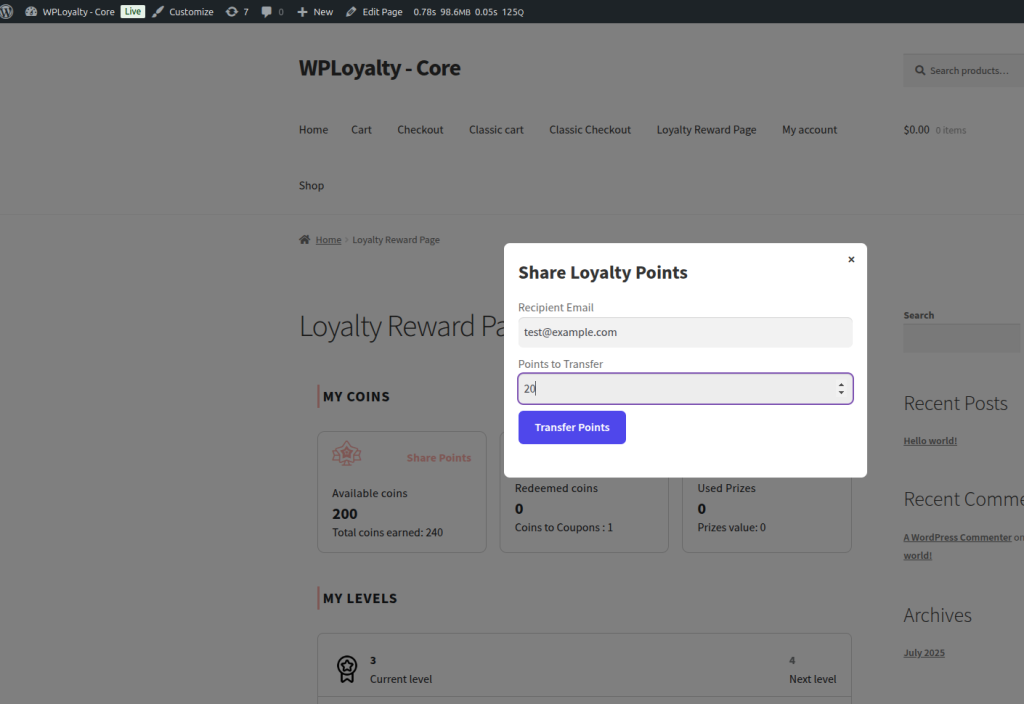
Step 2: Customers can go to Share Points -> Popup -> Enter Receiver Email ID -> Choose Points -> Share Points.
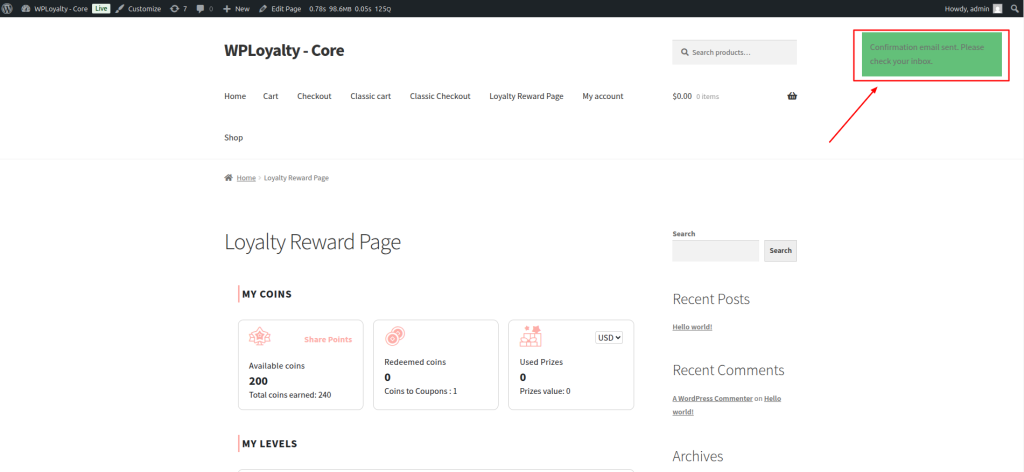
Step 3: A confirmation email is sent to the sender. Once confirmed, the points are instantly transferred to the receiver’s account.
Step 4: Customers can view all their shared and received points under Manage Shared Points.
Store owners can also customize the sender and receiver email templates, set sharing limits, and control how points are transferred.
When customers share their points, they indirectly invite inactive customers to your store, driving engagement, boosting sales, and expanding your customer community.
Get started with WPLoyalty’s point sharing add-on and encourage customers to earn and share more points.