


eCommerce platforms now shape how brands sell, scale, and survive online. They control how fast you launch, how smoothly customers buy, and how easily your business grows across channels.
Selling online no longer means just putting products on a website. You manage payments, inventory, taxes, shipping, marketing, and customer data at the same time. The platform you choose decides how much of this work stays simple and how much becomes technical debt later.
Today’s buyers expect fast checkout, mobile friendly stores, secure payments, and consistent experiences across devices. When a platform fails to support these basics, conversion drops and costs rise. That is why choosing the right eCommerce platform is no longer a technical decision. It is a business decision.
This guide explains what eCommerce platforms are, how they work, and which options fit different business stages. You will see clear differences, real use cases, and practical criteria to help you choose.
What Is an eCommerce Platform
An eCommerce platform is software that lets you create, manage, and operate an online store from one system. It handles product listings, shopping carts, checkout, payments, orders, and customer data in a single place.
At its core, an eCommerce platform connects three things:
- Your storefront where customers browse.
- Your backend where you manage products and orders.
- Your payment and fulfillment flow where money and goods move.
All three must work together without friction.
Modern eCommerce platforms also support marketing, analytics, tax handling, and integrations with other tools. Some platforms include everything out of the box. Others give you flexibility but require setup and maintenance.
How eCommerce Platforms Work
eCommerce platforms connect every step of selling online into one system. They turn customer actions into automated processes that keep your store running without manual work.
At a high level, this is how the flow works:
- Product management: You add products with prices, images, variants, and stock levels into a central catalog. The platform keeps this data consistent across your store.
- Storefront display: Customers browse products through your website or app. The platform pulls product data and shows availability in real time.
- Checkout and payments: When a customer places an order, the platform calculates totals, applies taxes, and processes payments securely.
- Order creation: The system generates an order record and confirms the purchase instantly.
- Inventory updates: Stock levels adjust automatically to prevent overselling.
- Fulfillment triggers: Shipping, notifications, and tracking start without manual steps.
- Customer data storage: Purchase history and behavior save to the customer profile for future marketing and support.
Strong eCommerce platforms automate this full cycle end to end. Weak platforms force manual fixes between steps. That gap increases errors, slows growth, and raises operating costs as your store scales.
Types of eCommerce Platforms
eCommerce platforms fall into clear categories based on how they are hosted, maintained, and customized. Understanding these types helps you avoid choosing a platform that limits your growth later.
Here are the main types you will encounter:
Hosted eCommerce Platforms
Hosted platforms run on the provider’s infrastructure. You do not manage servers, security, or updates.
- Platform handles hosting, security, and maintenance
- Faster setup with minimal technical work
- Monthly subscription pricing
- Limited control over core system behavior
Examples include Shopify, Wix eCommerce, and Squarespace. These platforms suit small and mid size businesses that want speed and simplicity.
Self Hosted eCommerce Platforms
Self hosted platforms give you full control but require more responsibility.
- You manage hosting, security, and updates
- Higher flexibility and customization
- Greater technical effort and ongoing maintenance
- Costs vary based on hosting and development
WooCommerce and OpenCart fall into this category. They work well when you want control and already use WordPress or custom infrastructure.
Open Source eCommerce Platforms
Open source platforms give you access to the source code.
- Full customization freedom
- No licensing fees for the core platform
- Requires developers for setup and scaling
- Higher long term maintenance effort
Adobe Commerce is a common example. These platforms suit businesses with strong technical teams.
Enterprise eCommerce Platforms
Enterprise platforms support complex operations at scale.
- Multi store and multi country support
- Advanced integrations with ERP and CRM systems
- High performance during traffic spikes
- Custom pricing and contracts
Shopify Plus and BigCommerce Enterprise serve large brands with high order volumes and global needs.
Each type solves a different problem. The right choice depends on your business size, budget, technical capacity, and growth plans.
How to Choose the Right eCommerce Platform for Your Business
Choosing an eCommerce platform works best when you start from your business reality, not feature lists. The right platform supports how you sell today and how you plan to grow tomorrow.
Begin by understanding your constraints. Budget, team size, and technical skills matter as much as features. A platform that looks powerful on paper can slow you down if it needs constant development work.
Use these criteria to evaluate eCommerce platforms clearly:
- Business size and stage: Early stage stores need speed and simplicity. Growing businesses need scalability and integrations. Enterprise brands need performance and control.
- Total cost of ownership: Look beyond monthly fees. Include transaction fees, apps, hosting, development, and long term maintenance.
- Ease of use: Your team should manage products, orders, and promotions without relying on developers for every change.
- Customization needs: Some businesses need flexible checkout flows or custom pricing logic. Others do not.
- Integrations: Check support for payments, shipping, analytics, CRM, ERP, and marketing tools you already use.
- Scalability: The platform should handle traffic spikes, product growth, and multi channel selling without breaking.
- Security and compliance: PCI compliance, data protection, and uptime are non negotiable.
- Support and ecosystem: Strong documentation, partner networks, and support reduce risk as you scale.
Best eCommerce Platforms for Small Businesses
1. Shopify
Shopify is a hosted eCommerce platform that lets you launch and run a store without managing hosting, security updates, or server maintenance. It fits small businesses that want a reliable checkout, fast setup, and a platform that can scale as orders and products grow.
What Shopify does well for small businesses
- All in one setup: storefront builder, hosting, checkout, and core store operations run in one system.
- Multichannel selling support: you can sell across channels while managing the store from one platform.
- Scales without infrastructure work: you do not need to manage servers as your traffic grows.
What you must check before choosing Shopify
- Total cost: your cost includes plan price plus any paid apps you add over time.
- Payment fees: if you use a third party payment provider, Shopify can charge additional third party transaction fees depending on your plan.
Best fit use cases
- You want a store that runs without technical maintenance
- You plan to scale product catalog and marketing tools over time
- You want a stable checkout experience that works well on mobile
When Shopify becomes a poor fit
- You want deep code level control without relying on apps
- You want to avoid platform based fee structures tied to payments
2. Wix eCommerce
Wix eCommerce is a hosted eCommerce platform that combines website building and online selling in one system. It suits small businesses that want design control without relying on developers.
What Wix eCommerce does well
- Unified site and store management: you design pages and manage products from the same dashboard, which reduces tool switching.
- Visual control over storefront layout: you can adjust product pages, checkout flows, and content blocks without code.
- Built in marketing and SEO tools: basic SEO settings, email marketing, and automation come bundled in paid plans.
Limitations you must understand
- Advanced catalog logic and complex inventory workflows are limited.
- Scaling to very large product catalogs or high order volumes can require workarounds.
Best fit use cases
- You sell a focused product range
- You want design flexibility without plugins
- You prefer an all in one hosted setup
3. Squarespace Commerce
Squarespace Commerce is a hosted eCommerce platform designed for businesses where brand presentation matters as much as transactions. It works best for creators and small catalogs.
What Squarespace does well
- Strong visual consistency: product pages, content, and checkout share the same design system.
- Clean admin experience: managing products, orders, and content stays simple.
- Built in commerce basics: payments, taxes, shipping, and discounts work without extra setup.
Where it falls short
- Limited flexibility for complex pricing, bundles, or subscriptions.
- Fewer integrations compared to larger ecosystems.
Best fit use cases
- You sell premium or design led products
- You value brand storytelling alongside commerce
- You do not need complex backend workflows
4. Ecwid
Ecwid is an eCommerce platform designed to add commerce to an existing website instead of replacing it. It works as an embedded store rather than a full site builder.
What Ecwid does well
- Non disruptive setup: you keep your current site and add a store using widgets or product blocks.
- Flexible placement: products and carts can appear on any page.
- Simple admin control: manage inventory and orders from a central dashboard.
Important constraints
- Less control over checkout and storefront structure compared to full platforms.
- Not ideal for large catalogs or complex workflows.
Best fit use cases
- You already have a website or blog
- You want ecommerce without migration
- You sell a small to medium product range
5. Square Online
Square Online is an eCommerce platform built around Square’s payment and POS ecosystem. It connects online and in store sales into one system.
What Square Online does well
- Unified online and offline selling: inventory and orders sync across physical and online stores.
- Predictable payment operations: pricing and processing stay consistent with Square POS.
- Low setup effort: basic stores can go live quickly.
Where it becomes limiting
- Storefront customization options are basic.
- Advanced ecommerce features often require workarounds.
Best fit use cases
- You run a physical store and sell online
- You already use Square POS
- You want simple, connected commerce operations
Best eCommerce Platforms for Growing and Mid Size Businesses
Growing businesses face a different set of problems than small stores. Order volume increases. Marketing becomes more complex. Integrations start to matter. The platform must scale without forcing constant rebuilds.
These platforms fit businesses that have moved past basic needs but are not yet enterprise.
6. BigCommerce
BigCommerce is a hosted eCommerce platform built for growth focused businesses that need scalability without moving to enterprise contracts early.
What BigCommerce does well
- Strong native features: many functions like multi currency selling, SEO controls, and abandoned cart recovery come built in.
- No additional transaction fees: you pay standard payment processing without platform level percentage add ons.
- API first architecture: integrations with ERP, CRM, and marketing tools work more cleanly as volume grows.
Growth stage advantages
- Supports large catalogs without heavy plugin reliance
- Handles traffic spikes more predictably than entry level platforms
- Reduces dependency on third party apps for core features
Where BigCommerce can struggle
- Sales volume thresholds can trigger plan upgrades
- Admin interface has a steeper learning curve than beginner platforms
Best fit use cases
- You are scaling product count and order volume
- You want built in features instead of app stacking
- You sell internationally or plan to expand
7. WooCommerce
WooCommerce is a self hosted eCommerce platform that runs on WordPress. It fits growing businesses that want flexibility and full control over their store logic.
What WooCommerce does well
- Complete ownership: you control hosting, code, checkout, and data.
- Extensive customization: almost any store behavior can be built with plugins or custom development.
- Strong content and SEO alignment: works well for content driven commerce strategies.
Growth stage advantages
- No platform level sales caps
- Flexible product models like subscriptions, bundles, and memberships
- Large ecosystem of extensions and developers
Trade offs you must plan for
- You manage security, updates, and performance
- Plugin conflicts can increase maintenance overhead
- Scaling requires technical planning and monitoring
Best fit use cases
- You need deep customization
- You already run WordPress
- You have access to technical support or developers
8. Shift4Shop
Shift4Shop is a hosted eCommerce platform with a strong focus on technical SEO and advanced store controls.
What Shift4Shop does well
- Advanced SEO configuration: clean URLs, metadata control, and structured data support.
- Built in blogging and content tools: helpful for organic traffic strategies.
- Flexible checkout and payment options: supports a wide range of payment methods.
Growth stage strengths
- Handles complex product configurations
- Strong for stores relying heavily on organic search
- Less dependency on paid add ons for SEO functionality
Limitations to note
- Admin experience is less intuitive
- Smaller ecosystem compared to Shopify or BigCommerce
Best fit use cases
- SEO driven ecommerce businesses
- Stores with complex product structures
- Teams comfortable with a more technical interface
Best eCommerce Platforms for Enterprise Businesses
Enterprise businesses deal with scale problems that smaller stores never face. High traffic volumes, global selling, complex pricing, and deep system integrations become daily requirements. The platform must stay stable under pressure and flexible without breaking operations.
Here are the next three enterprise eCommerce platforms, explained one by one.
9. Shopify Plus
Shopify Plus is the enterprise version of Shopify, designed for high volume brands that need reliability, speed, and global reach without managing infrastructure.
What Shopify Plus does well
- Enterprise grade hosting and uptime: handles traffic spikes during major sales events without manual scaling.
- Advanced checkout control: allows deeper customization through scripts and APIs compared to standard Shopify plans.
- Multi store management: run multiple regional or brand stores from one organization.
- Strong ecosystem: access to enterprise partners, integrations, and dedicated support teams.
Enterprise strengths
- Fast global storefront performance
- Centralized operations across regions
- Reduced infrastructure and security overhead
Constraints to understand
- Core platform remains opinionated
- Deep backend changes require working within Shopify’s framework
- Pricing is contract based and higher than mid market plans
Best fit use cases
- Global brands with high traffic and order volume
- Teams that want enterprise stability without infrastructure management
- Businesses scaling rapidly across regions
10. BigCommerce Enterprise
BigCommerce Enterprise is built for businesses that need enterprise scale with fewer platform restrictions and strong integration flexibility.
What BigCommerce Enterprise does well
- API driven architecture: supports deep integrations with ERP, CRM, and order management systems.
- No platform transaction fees: reduces margin pressure at high volumes.
- Multi storefront support: manage different brands, regions, or catalogs from one backend.
- Composable commerce readiness: works well with headless and modular setups.
Enterprise strengths
- Greater backend flexibility than most hosted platforms
- Strong performance under large catalogs and order volumes
- Easier integration with existing enterprise systems
Trade offs
- Requires more technical setup than Shopify Plus
- Admin interface has a learning curve for non technical teams
- Pricing depends on volume and custom contracts
Best fit use cases
- Brands with complex operations and integrations
- Businesses planning headless or composable commerce
- Teams with technical resources in place
11. Adobe Commerce
Adobe Commerce is an open source enterprise eCommerce platform built for maximum customization and complex business logic.
What Adobe Commerce does well
- Full code level control: every aspect of the store can be customized.
- Advanced catalog and pricing rules: supports complex B2B and B2C workflows.
- Integration with Adobe ecosystem: works with Adobe Experience Cloud for personalization and analytics.
- Global and multi brand capabilities: built for large, distributed operations.
Enterprise strengths
- Unlimited flexibility for custom requirements
- Powerful for B2B, wholesale, and hybrid commerce
- No platform imposed checkout restrictions
Operational realities
- High development and maintenance cost
- Requires experienced developers and infrastructure planning
- Longer implementation timelines
Best fit use cases
- Large enterprises with complex workflows
- Businesses needing custom pricing, contracts, or B2B logic
- Teams with strong technical and operational capacity
Open Source vs Hosted eCommerce Platforms
Open source and hosted eCommerce platforms solve the same problem in very different ways. The difference shows up in control, cost, maintenance, and long term risk. Choosing the wrong model can slow growth or inflate operating costs later.
Here is a clear comparison based on how these platforms behave in real business conditions.
| Aspect | Hosted eCommerce Platforms | Open Source eCommerce Platforms |
| Ownership | Platform provider controls infrastructure | You control code and infrastructure |
| Hosting | Included and managed | You arrange and manage hosting |
| Security | Platform handles security and updates | You handle security and compliance |
| Setup speed | Fast launch with minimal setup | Slower setup with technical work |
| Customization | Limited to platform rules | Full customization freedom |
| Maintenance | Minimal ongoing maintenance | Continuous maintenance required |
| Scalability | Scales automatically | Requires planning and optimization |
| Cost structure | Subscription plus add ons | Variable costs for hosting and development |
| Technical skill | Low technical requirement | High technical requirement |
| Platform examples | Shopify, Wix, BigCommerce | WooCommerce, Adobe Commerce |
What this means in practice
Hosted platforms reduce operational risk. You trade control for reliability. Updates, security patches, and performance tuning happen without your involvement. This model suits teams that want to focus on selling rather than managing infrastructure.
Open source platforms give full control. You decide how checkout works, how data flows, and how the system scales. This freedom comes with responsibility. Security, performance, and uptime depend on your technical execution.
Hosted platforms work best when:
- You want predictable costs
- You lack in house technical resources
- You value stability over customization
Open source platforms work best when:
- You need custom business logic
- You want full ownership of data and code
- You can invest in technical maintenance
The right choice depends on how much control you need and how much complexity your team can manage without slowing growth.
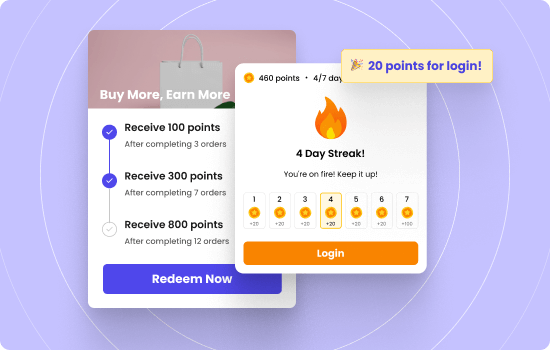
Set multiple rewards and campaigns for various customer actions using WPLoyalty’s customizable loyalty programs.
Final Thoughts
eCommerce platforms shape how your business operates long after launch day. The right platform supports growth quietly in the background. The wrong one creates friction, hidden costs, and technical limits that appear when it is hardest to change.
There is no single best eCommerce platform for everyone. Small businesses need speed and simplicity. Growing brands need scalability and integrations. Enterprise companies need control, performance, and system depth. Each stage demands a different balance of flexibility and stability.
The safest approach is to choose based on how you sell today and how you expect to sell next year. Look beyond features and pricing pages. Evaluate checkout control, data ownership, integrations, and long term operating cost.

