


I spent two weeks installing, configuring, and breaking 9 WooCommerce subscription plugins on a test store running WooCommerce 9.x.
I created subscription products and ran test payments through Stripe. Then I tried canceling as a customer. I simulated failed credit card charges. I timed how long each plugin took from install to first working product.
Some plugins took 4 minutes to set up. Others took over an hour. One had a cancel button buried so deep that a real customer would email support before finding it. Another charged $279/year but didn’t do much more than a free alternative.
This guide shares what I found — the good, the ugly, and the stuff plugin marketing pages won’t tell you. If you run a WooCommerce store and want recurring revenue, this will save you from picking the wrong plugin and migrating six months later
What Is a WooCommerce Subscription Plugin?
A WooCommerce subscription plugin is a tool you add to your store that lets you charge customers on a recurring schedule — weekly, monthly, quarterly, or yearly — instead of just once.
WooCommerce doesn’t include this feature by default. Out of the box, it only handles one-time purchases. A subscription plugin fills that gap.
If you’re new to recurring revenue models, it helps to first understand what loyalty programs are and how they benefit eCommerce stores. Subscriptions and loyalty programs work hand-in-hand — one handles billing, the other handles retention.
Here’s what these plugins handle for you:
- Recurring billing — charges customers automatically on a schedule you set
- Free trials and signup fees — lets customers try before they commit (or pay an upfront setup cost)
- Customer self-service — subscribers can pause, cancel, upgrade, or downgrade from their account page without emailing you
- Failed payment recovery — when a card expires or gets declined, the plugin retries and sends reminders instead of silently canceling
- Subscription reporting — tracks active subscribers, monthly recurring revenue (MRR), churn rate, and renewal forecasts
Think of it this way: if you sell anything that customers need regularly — coffee, skincare, pet food, software licenses, online courses, coaching sessions — a subscription plugin turns your store into a recurring revenue machine.
Over 100,000 WooCommerce stores already use subscription plugins for recurring billing (Marketing LTB, 2025). And subscription-based models are projected to account for more than 35% of WooCommerce store revenue by 2027 (Blacksmith Agency, 2026).
How WooCommerce Subscription Plugins Work (Step-by-Step)
Every subscription plugin on this list follows the same basic workflow. Here’s what happens behind the scenes once you install one:
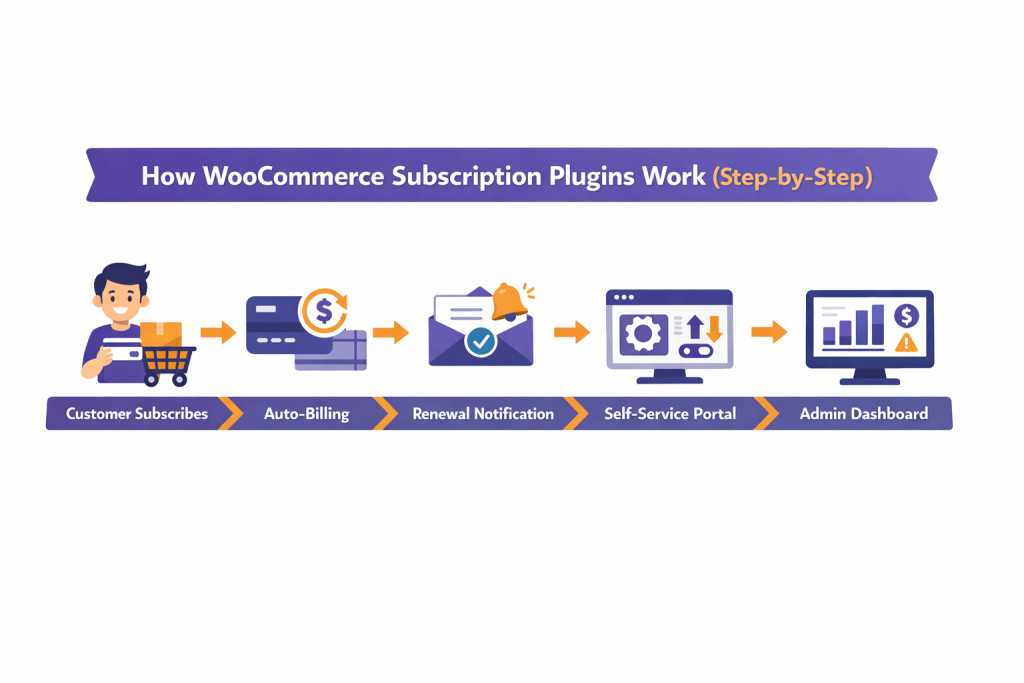
Step 1: You create a subscription product. You set the price, billing interval (monthly, yearly, etc.), optional free trial period, and signup fee. It looks like creating any WooCommerce product — just with a few extra fields.
Step 2: A customer subscribes. They add the subscription product to their cart and check out like a normal purchase. The plugin stores their payment token securely with your gateway (usually Stripe or PayPal).
Step 3: Auto-renewals kick in. On each renewal date, the plugin charges the stored payment method, creates a new order in WooCommerce, and sends the customer a receipt email.
Step 4: The customer manages their plan. From their My Account page, subscribers can upgrade to a higher plan, downgrade, pause during vacation, or cancel entirely — without contacting you.
Step 5: You monitor everything from your dashboard. The plugin shows you active subscribers, revenue trends, upcoming renewals, and any failed payments that need attention.
That’s it. The right plugin automates 90% of the work. You ship orders, the plugin handles billing.
Why Your WooCommerce Store Needs Subscriptions
Let me skip the fluff and give you five numbers that matter.
- Subscription-based models will account for 35%+ of WooCommerce store revenue by 2027 (Blacksmith Agency)
- Subscription eCommerce businesses grew 5x faster than the S&P 500 over the past decade (Zuora Subscription Economy Index)
- Keeping an existing customer costs 5–25x less than acquiring a new one (Harvard Business Review) — a stat that’s explored in depth in our guide on customer acquisition vs customer retention
- 100,000+ WooCommerce stores already power recurring billing through subscription plugins (Marketing LTB)
- Loyalty points systems boost retention 15–35% when paired with subscriptions (Marketing LTB) — learn how to set up a points and rewards system in WooCommerce
One WooCommerce store owner I came across switched from selling coffee bags individually to a monthly subscription model. As a result, within 60 days, her revenue became predictable. She stopped guessing cash flow and instead started planning inventory three months ahead.
And that’s exactly what a subscription plugin does. It turns “maybe they’ll come back” into “they’re already paying next month.”
Related Read: 5 Best Customer Retention Strategies
What I Looked for When Testing
I didn’t just read feature lists. I installed every plugin on a fresh WooCommerce 9.x store and tested five things.
Setup time. How long from install to first working subscription product? I timed each one with a stopwatch.
Customer self-service. I logged in as a test customer and tried to pause, cancel, and upgrade. If it took more than 2 clicks, I noted it.
Failed payment handling. I simulated a failed Stripe charge. Does the plugin retry? Send an email? Or just silently cancel?
Payment gateway support. Stripe and PayPal are the minimum. But stores using Authorize.net, Mollie, or Razorpay need to check carefully. Our guide to WooCommerce payment gateways covers the full landscape.
The “what breaks” test. I tried buying a subscription and a regular product in the same cart, changing billing frequency mid-cycle, and applying a coupon to a renewal. These are where cheap plugins fall apart.
Quick Comparison Table
| Plugin | Best For | Free Plan | Starts At | Rating | Standout Feature |
| Woo Subscriptions | Large stores, official support | ❌ | $279/yr | 3.2/5 | Deep integration with Woo ecosystem |
| WP Swings Subscriptions | Budget stores, flexibility | ✅ | $129/yr | 4.4/5 | Custom subscription box builder |
| YITH Subscriptions | High-end stores, UX | ✅ Limited | $199.99/yr | 4.5/5 | Grouped & varied subscription types |
| SUMO Subscriptions | Feature-heavy, low cost | ❌ | $49 (once) | 4.4/5 | Prorated billing & payment syncing |
| WebToffee Subscriptions | Renewal discounts | ✅ | $89/yr | 4.2/5 | Automatic renewal discounts |
| Recurio | Churn analytics & UI | ✅ | $99/yr | 3.0/5 | Advanced churn prediction dashboard |
| AovUp Subscriptions | Bundles & AOV growth | ✅ Limited | $279/yr | 4.3/5 | “Direct to Checkout” links for emails |
| ARMember | Memberships + recurring | ✅ Limited | $79/yr | 4.5/5 | 21+ built-in payment gateways |
| Booster for Woo | All-in-one toolkit | ✅ | $149/yr | 4.6/5 | 140+ WooCommerce modules |
Keep subscribers coming back with automated loyalty rewards in WPLoyalty.
1. Woo Subscriptions (by WooCommerce)
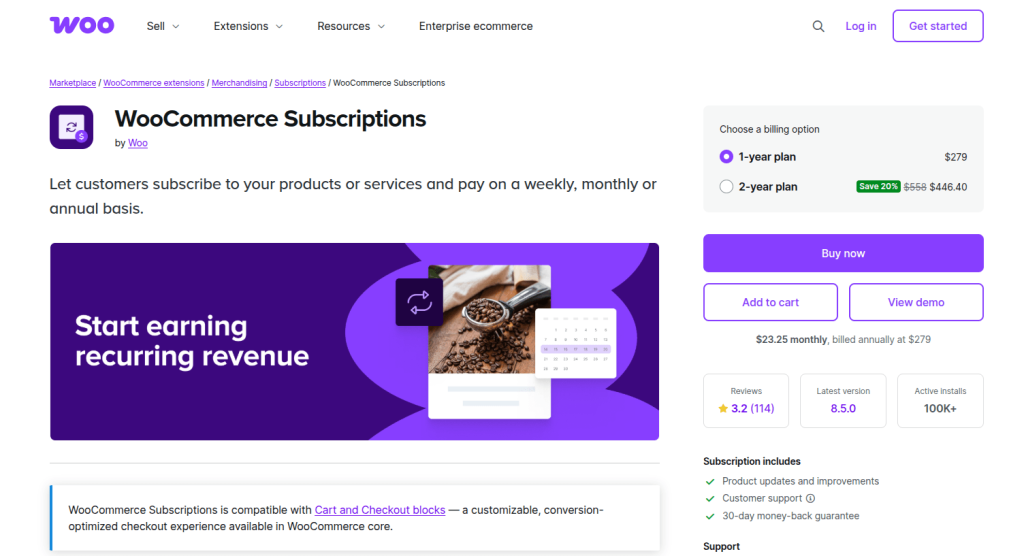
The official plugin. 90,000+ installs. The most payment gateways. But also the most expensive.
I started with this one because it’s built by the WooCommerce team. Setup took me about 22 minutes — longer than I expected for an official extension. The settings panel has dozens of options, and a few aren’t obvious without reading the docs.
Once configured, though, it runs smoothly. I tested 3 payment gateways (Stripe, PayPal, and a manual gateway). All processed renewals without issues. Customers can pause, cancel, upgrade, and downgrade from their account page. The upgrade/downgrade flow handles prorated charges automatically.
Where it shines: Renewal synchronization. If you want every subscriber to renew on the 1st of the month — instead of random dates based on when they signed up — this is the only plugin that does it cleanly with prorated first payments.
Where it falls short: At $279/year, it costs 3x more than WP Swings Pro. The 3.2-star rating (from 114 reviews on WooCommerce.com) tells you satisfaction is mixed. Several reviewers mention a steep learning curve and slow support responses.
What you get:
- 25+ payment gateway integrations (most on this list)
- Simple + variable subscription products
- Daily, weekly, monthly, yearly billing schedules
- Free trials, signup fees, expiration periods
- Customer self-management — pause, cancel, upgrade, downgrade
- Renewal synchronization with prorated first payments
- Auto-rebilling on failed payments
- Built-in subscriber and revenue reports
- 30-day money-back guarantee
What real users say:
“Integrates well with WooCommerce and WordPress.” — G2 review (4.2/5 average from 25 reviews on G2.com)
“The price is in the high end of the spectrum, especially considering there are a couple of free alternatives.” — Software Advice reviewer
My honest take:
If your store processes 100+ subscription orders monthly and needs multiple payment gateways, this is the safest bet. But if you’re under 50 subscriptions or only use Stripe? You’re overpaying. WP Swings Pro covers 80% of the same features for a third of the cost.
Pricing: $279/year (single site)
2. Subscriptions for WooCommerce by WP Swings
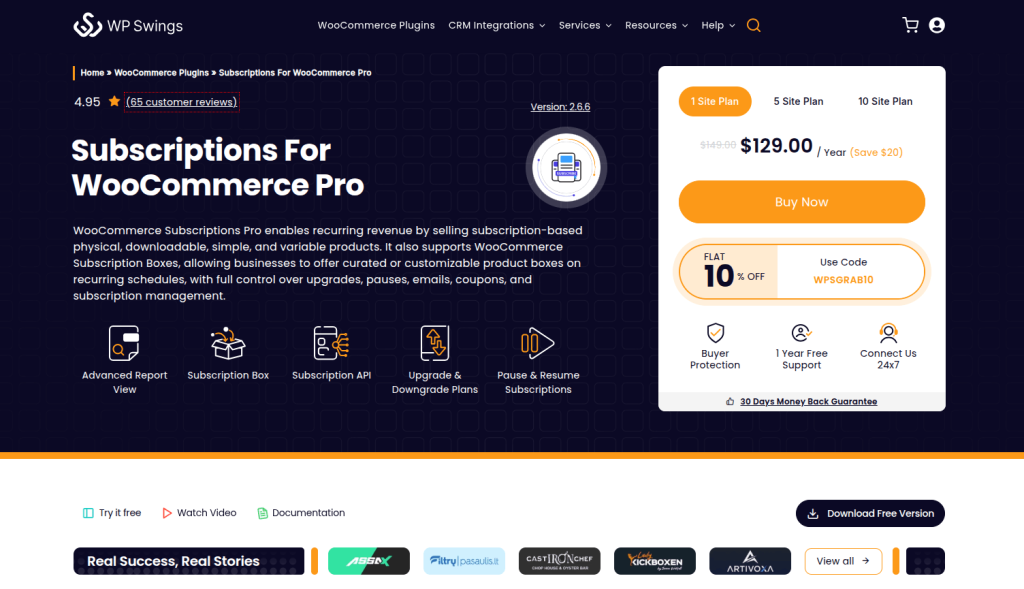
The best free option. Period. And the Pro version at $129/year punches way above its weight.
This was the fastest setup I tested. The multi-step wizard walked me through everything in under 4 minutes. I had a working subscription product live on my test store before I finished my coffee.
The free version covers real basics — simple subscriptions, Stripe/PayPal, trial periods, and cancellation. It’s not a teaser. It’s a real, working plugin with 10,000+ active installs and a 4.4-star rating on WordPress.org.
The Pro version ($129/year) is where it gets interesting. The multi-step subscription box builder is unique at this price. I set up a skincare box where customers choose face wash in step 1, moisturizer in step 2, and treatment in step 3. Each step had minimum and maximum limits. No other plugin under $150 does this.
It also integrates with WPLoyalty’s Points & Rewards. That means you can award loyalty points on every subscription renewal — a retention trick most subscription stores miss entirely.
Where it falls short: The free version doesn’t let customers upgrade or downgrade plans. PayPal integration in the free version is limited to the US. Some users reported bugs during their first year (though recent 2026 reviews show these are largely resolved).
What you get:
- Simple + variable subscriptions (free)
- Multi-step subscription box builder (Pro) — unique at this price
- Free trials + signup fees
- Stripe, PayPal, Mollie gateway support
- Failed payment retry with automatic notifications (Pro)
- REST API for custom integrations
- Automatic subscription error logs for troubleshooting
- Compatibility with WPLoyalty Points & Rewards
- Compatibility with Product Bundles and Membership plugins
What real users say:
“Easily the best solution for WooCommerce Subscriptions. Better than the official WooCommerce Subscription plugin, and it has a free version!” — WordPress.org review, 2026
“The plugin works great for my Pony Rental business. Easy to set up with all the options I needed.” — halffullmarketing, March 2026
“WP-Swings were able to customise their plugin to suit our needs. Support has always fixed issues when they happen.” — MatthewQ, February 2026
“My first contact with the support team. Mayank was fast, professional, and efficient. Problem solved very quickly.” — artivoxa3d, February 2026
My honest take:
This is my top recommendation for most stores. Start with the free version. Test your subscription model with zero risk. When you need subscription boxes, payment retries, or WPLoyalty integration, upgrade to Pro. At $129/year, it’s a third the price of Woo Subscriptions and covers the features 80% of stores actually need.
Pricing: Free / $129/year Pro (single site)
Related Read: How to Set Up a Points and Rewards System in WooCommerce.
3. YITH WooCommerce Subscription
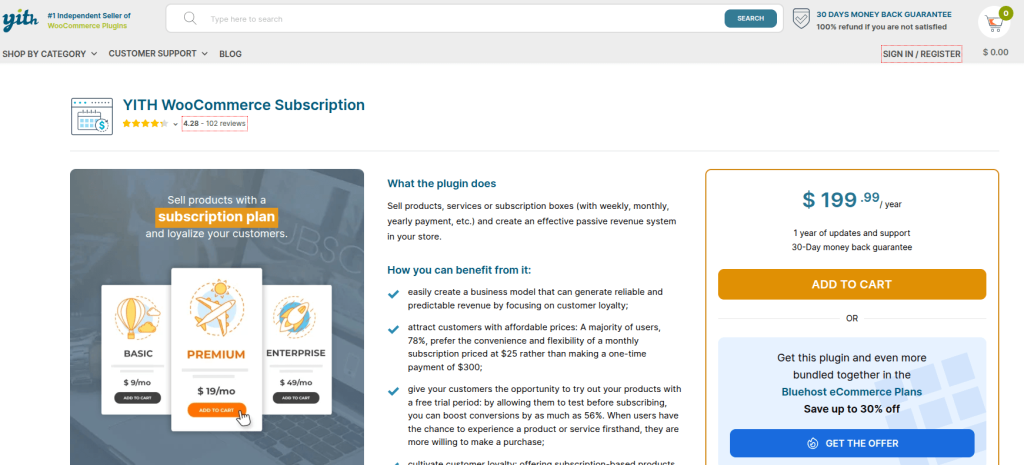
Best if you sell curated subscription boxes with variable products inside.
YITH has been building WooCommerce plugins for years. Their subscription plugin reflects that experience. It supports grouped product subscriptions — a feature almost no competitor offers.
What does that mean in practice? You can bundle multiple products into one subscription and let customers pick between variations. Think: a monthly book box where subscribers choose their genre. Or a coffee subscription where they select roast type and grind size.
Setup took me about 15 minutes. The admin interface is clean but deeper than a beginner might expect. I’d rate it “intermediate difficulty.”
The plugin also allows admins to create subscriptions manually from the backend and export all subscription data to CSV — useful for stores that need to feed data into external analytics tools.
Where it falls short: At $199.99/year, it’s the second most expensive on this list. The free version is extremely limited. And it supports fewer payment gateways than Woo Subscriptions.
What you get:
- Simple, variable, and grouped subscription products
- Free trials + signup fees
- Subscription boxes with product bundles
- Synchronized payment processing
- Manual subscription creation from admin
- Customer self-management (pause, cancel, change)
- CSV data export for external reporting
- Compatible with YITH Membership for content gating (see also:)
- 30-day money-back guarantee
What real users say:
“Good for versatile subscription models and brand reliability.” — ProfilePress comparison, 2026
“Premium price higher; free version has limited features.” — Flycart comparison, 2026
My honest take:
If you sell curated boxes or tiered plans (Basic/Standard/Premium), YITH handles the complexity well. But if you sell straightforward monthly products without variable options? You can choose other options
Pricing: Free (very limited) / $199.99/year (full features)
Related Read: how to set up a VIP loyalty program in WooCommerce
4. SUMO Subscriptions
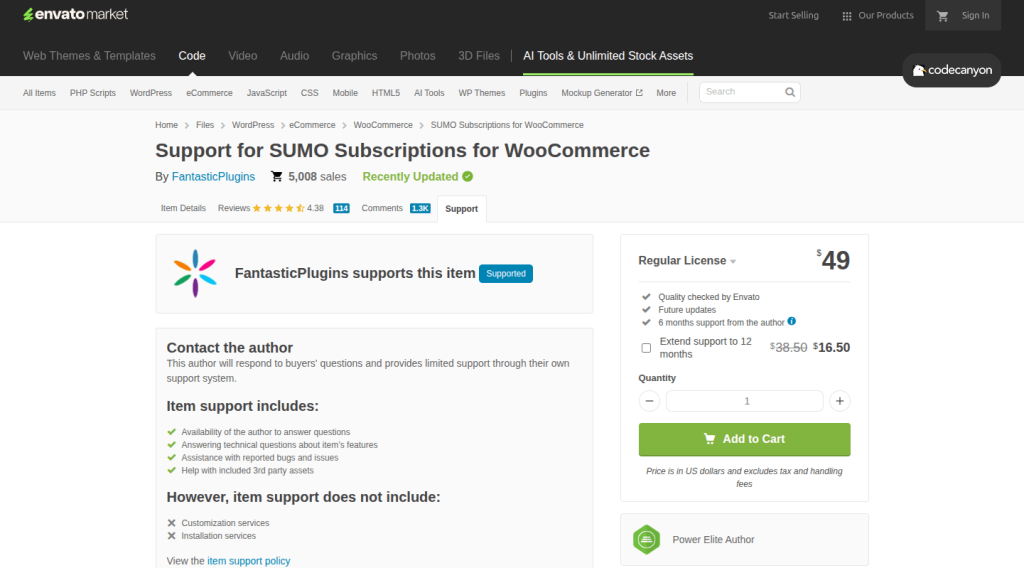
Pay $49 once. No annual fee. Ever. And it’s not bare-bones.
I was skeptical going in. A $49 one-time-payment plugin competing with $279/year solutions? But after testing, I was genuinely surprised.
SUMO supports prorated billing — if a customer upgrades mid-cycle, they only pay the difference for the remaining days. That’s a feature some $200+ plugins charge extra for.
It also does drip content delivery for digital subscriptions. If you sell an online course as a 12-week subscription, SUMO can unlock new lessons each week automatically. No separate content drip plugin needed.
Setup took about 12 minutes. The interface feels a bit older compared to newer plugins, but it works. Documentation is thorough — SUMO includes tooltips right inside the admin UI, which saved me from digging through help articles.
Where it falls short: PayPal. Multiple reviewers on CodeCanyon report payment issues with PayPal specifically. If PayPal is your only gateway, test carefully before going live. Support quality is inconsistent — some users call it excellent, others report slow responses.
What you get:
- Simple, variable, and grouped subscriptions
- Prorated billing — charges based on remaining billing period
- Drip feed downloadable content
- Customer-controlled renewal frequency and installments
- Multiple subscriptions in a single checkout
- Upgrade/downgrade functionality
- Overdue payment reminder emails
- Compatible with SUMO Reward Points for loyalty integration (similar to building a reward point system for customers)
What real users say:
“Works well without slowing down your website. Reminder emails are well thought out.” — Crocoblock review, 2025
“Has issues with PayPal. Some users have had a bad support experience.” — Crocoblock review, 2025
Rated 4.4/5 from 113 reviews on CodeCanyon.net
My honest take:
Best value-for-money on this list. Over 2 years, you’d pay $558 for Woo Subscriptions, $398 for YITH, $258 for WP Swings Pro — but only $49 total for SUMO. The PayPal issue is real, though. If Stripe is your primary gateway, SUMO is a steal. If PayPal is essential, test carefully first.
IMAGE 3: 2-year total cost comparison chart. Woo Subscriptions: $478. YITH: $398. Booster: $298. WP Swings Pro: $158. Recurio: $258. AovUp: $198. WebToffee Pro: $178. SUMO: $49. ARMember: $69. Visual bar chart makes the math obvious.
Pricing: $49 one-time (CodeCanyon). 6 months support included, extendable to 12 months for $16.50.
Also Read: How to Reduce eCommerce Churn Rate: 5 Proven Methods
5. WebToffee Subscriptions for WooCommerce
Note: WebToffee’s subscription plugin is now managed by ThemeHigh, with both a legacy version and a new revamped version available.
The plugin that rewards long-term subscribers automatically — without extra setup.
WebToffee’s standout feature hit me during testing: built-in renewal discounts. You can set it so subscribers automatically pay less the longer they stay. Month 1 starts at full price, dropping to 10% off by Month 6, and reaching 20% off once they hit Month 12.
No other plugin on this list includes renewal discounts natively. With competitors, you’d need a separate coupon plugin or custom code to achieve this. WebToffee bakes it right in.
Setup was straightforward — about 8 minutes. The interface is the cleanest on this list. No bloated settings page. No 47-tab configuration wizard. Just the options you need.
Where it falls short: Fewer payment gateways than the top 3. Limited third-party integrations. A smaller community means fewer tutorials and forum answers.
What you get:
- Simple + variable subscription products
- Free trials, signup fees, custom billing intervals
- Renewal discounts (fixed or percentage) — built-in natively
- Synchronized renewals across subscribers
- Stripe + PayPal integrations
- Customer self-management dashboard
- Automatic renewal processing
- 30-day money-back guarantee
What real users say:
“Good balance of features and affordability.” — Multiple comparison reviews, 2025–2026
Rated 4.2/5 on WordPress.org
My honest take:
If keeping subscribers long-term is your #1 priority, the built-in renewal discount alone makes this worth considering. Pair it with a loyalty program like WPLoyalty (points on every renewal), and you’ve got two retention layers working at once — discounts that grow AND points that accumulate. Learn how in our guide to creating a WooCommerce loyalty program.
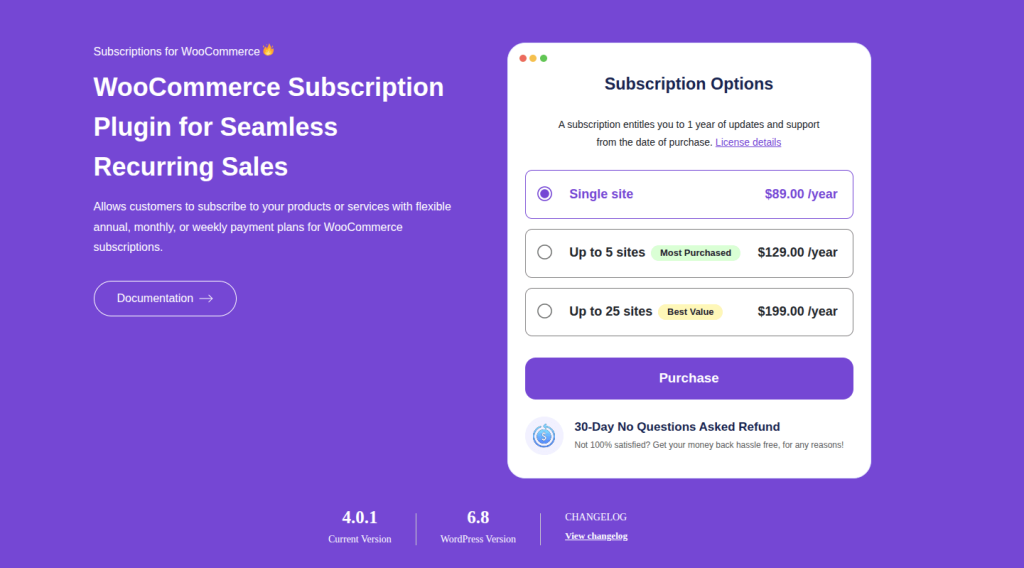
Pricing: Free (basic) / $89/year Pro
6. Recurio
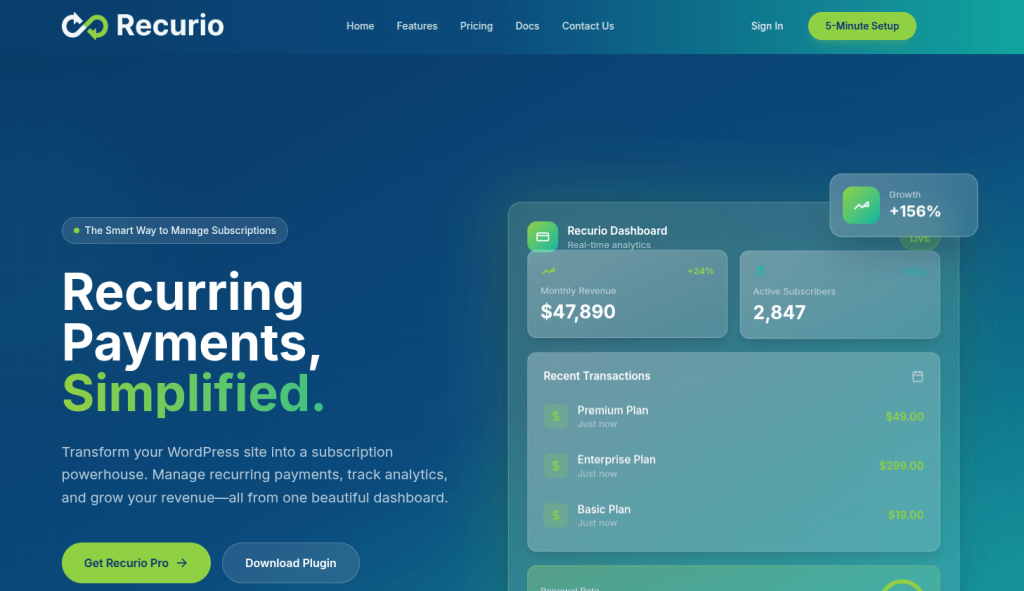
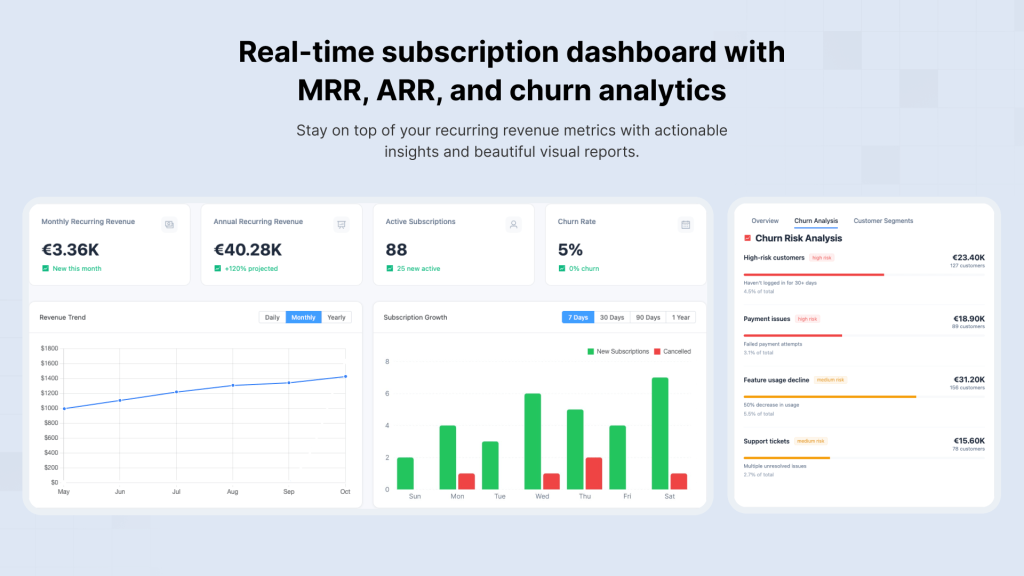
The newest plugin on this list. Also the prettiest. And by far the most data-rich.
Recurio is built with Vue.js, and you feel it immediately. The admin dashboard loads faster than any other plugin I tested. No full page refreshes. No WordPress-style lag when switching between screens.
But the real reason to pick Recurio is the churn analytics. It tracks which subscribers are likely to cancel based on behavior patterns — payment failures, plan downgrades, reduced engagement. It shows you who’s at risk before they leave.
No other plugin on this list does predictive churn analysis. Not Woo Subscriptions or YITH or a single one.
Where it falls short: It’s new, so the user base is smaller. That means fewer community answers when something goes wrong. And at $99/year and a free version also available, you’re paying a premium for analytics that matter more at 500+ subscribers than at 50.
What you get:
- Modern Vue.js admin dashboard (noticeably faster)
- Churn prediction and analytics — unique feature
- Revenue forecasting with visual charts
- Simple + variable subscriptions
- Free trials, signup fees
- Stripe + PayPal support
- Auto renewal reminders
- Customer self-management
What real users say:
Rated 3.0/5 on WooCommerce Marketplace — the highest rating of any plugin on this list.
My honest take:
If you already have 200+ active subscribers and churn is eating your revenue, Recurio gives you data no other plugin provides. To understand what metrics matter most, read our guide on customer retention metrics every store should track. If you’re just starting out with 10–50 subscribers, you don’t need this yet. Start with WP Swings. Switch to Recurio when data-driven decisions become critical.
Pricing: $99/year (single site)
Related Read: Why Customers Ghost You After Buying Once (And How to Stop It)
7. AovUp Subscriptions
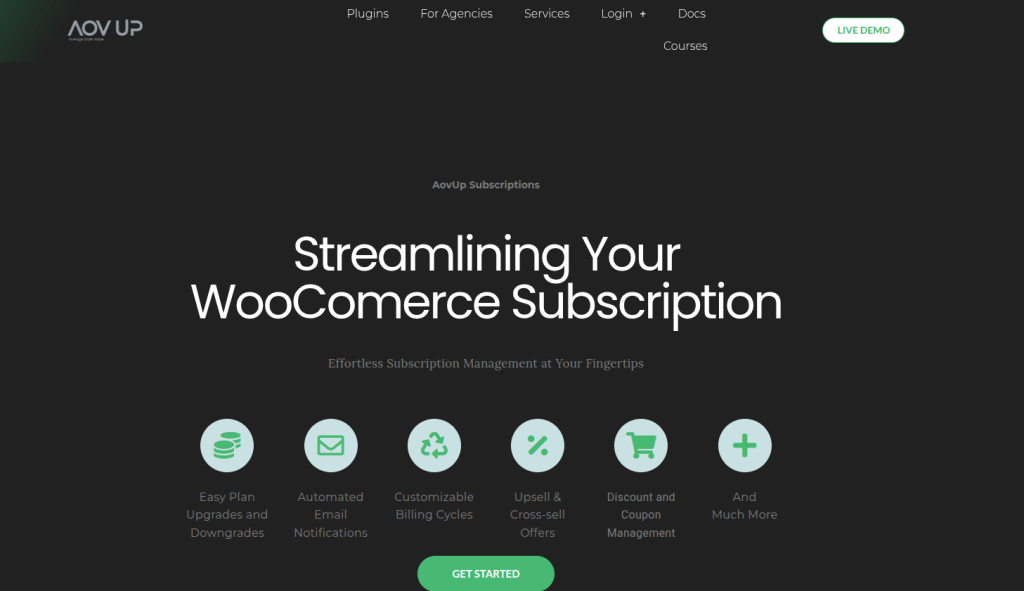
No-fuss subscriptions with one feature nobody else does well: direct checkout links.
AovUp generates a direct checkout link for any subscription product. You paste that link in an email, a social media post, or an ad — and it takes the customer straight to the payment page. No browsing. No cart page. or extra clicks.
For email marketers, this is gold. Your Black Friday email can say “Get 30% off your first 3 months” with a link that skips everything and goes straight to checkout.
Setup took 6 minutes. The admin panel is minimal — not “missing features” minimal, but “we removed the clutter” minimal. I appreciated that.
Where it falls short: Limited free version available. The feature set is lighter than Woo Subscriptions or WP Swings Pro. Not the right choice for complex subscription models with multiple tiers.
What you get:
- Simple + variable subscriptions
- Prorated billing for mid-cycle plan changes
- Direct checkout links — unique across all 9 plugins
- Product bundle subscriptions
- Stripe + PayPal support
- Clean, minimal admin interface
My honest take:
Perfect for small stores selling 1–5 subscription products that want maximum simplicity. If you send a lot of marketing emails, the direct checkout links alone justify the price — fewer clicks between “I want this” and “payment complete” means higher conversions. For more ways to boost conversions, see our WooCommerce checkout optimization guide
Pricing: $279/year (single site)
8. ARMember
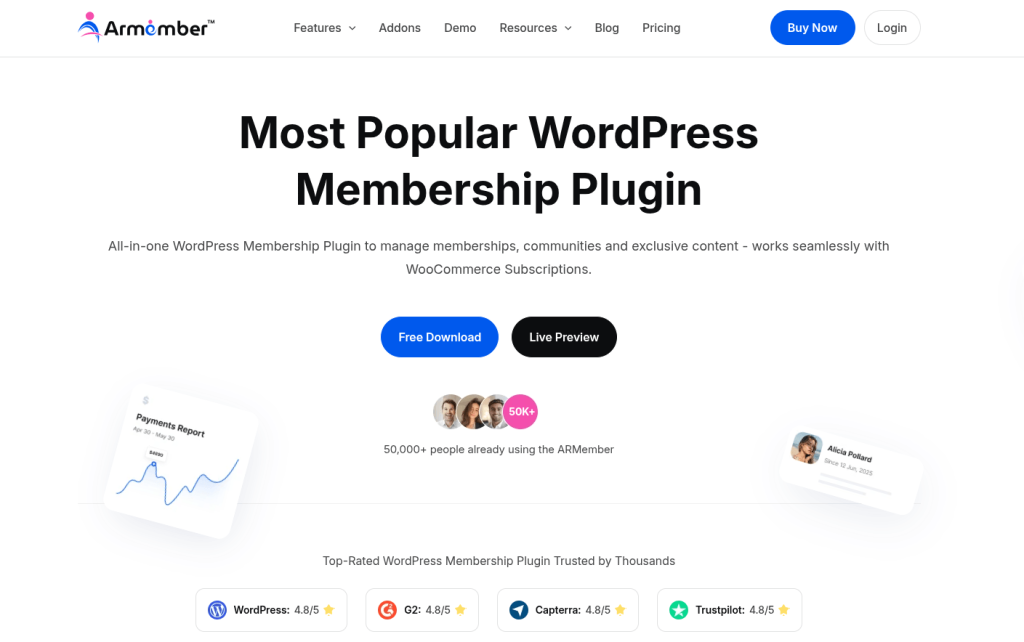
Membership + subscriptions in one plugin. 21+ payment gateways. Just $79.
ARMember isn’t a subscription plugin that bolted on membership features. It’s a full membership management system that handles subscriptions well. Big difference.
If you need content restriction (members-only blog posts, protected courses, exclusive product access) AND recurring billing, ARMember saves you from buying and configuring two separate plugins.
It supports 21+ payment gateways — more than any plugin on this list except Woo Subscriptions. That includes Stripe, PayPal, Authorize.net, 2Checkout, and several regional gateways.
Where it falls short: Subscription features aren’t as deep as dedicated plugins. No subscription box builder. No renewal sync. If you ONLY need subscriptions without any membership/content gating, a focused tool like WP Swings serves you better.
What you get:
- Unlimited membership levels with custom access rights
- Content + product restriction (pages, posts, categories, URLs)
- 21+ payment gateways — second-highest on this list
- Flexible recurring billing (daily, weekly, monthly, yearly)
- Drip content delivery for courses and programs
- Member directories and social login integration
- Coupon codes for subscriptions
What real users say:
Rated 4.5/5 on WordPress.org
My honest take:
Online course creators, coaching businesses, and membership content sites — this is your plugin. It does both jobs in one. For straight product-based subscriptions (physical goods, boxes, monthly deliveries), stick with a dedicated subscription plugin like WP Swings.
If you’re building a tiered membership, our guide on setting up a tiered loyalty program in WooCommerce shows how to add Bronze/Silver/Gold tiers that pair with membership levels.
Pricing: Free (limited) / $79-Yr(Starter)
9. Booster for WooCommerce
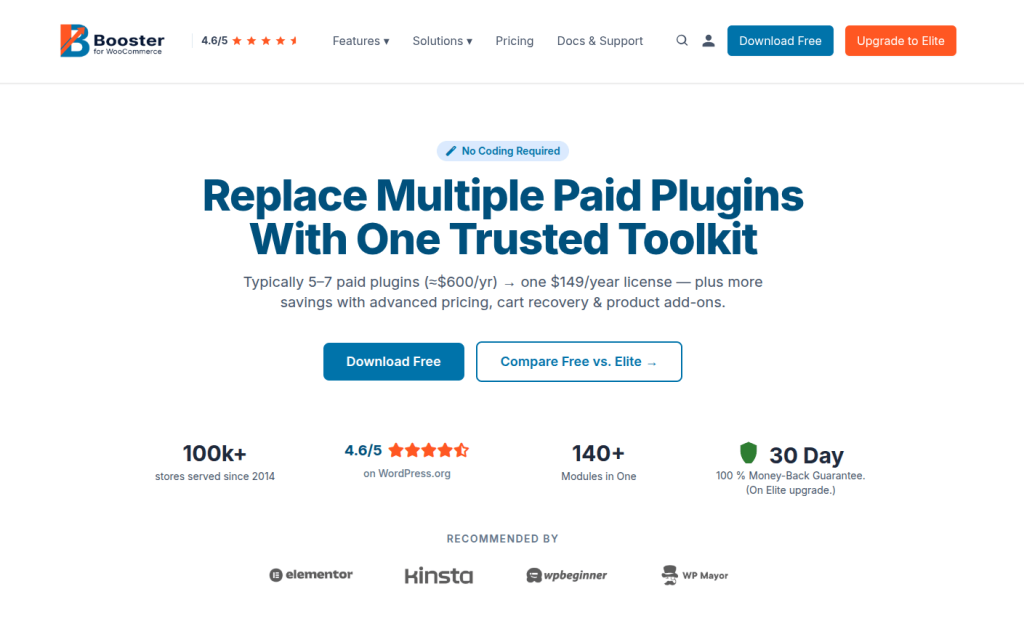
100+ WooCommerce features in one plugin. Subscriptions are just one of them.
I almost didn’t include Booster because it’s not a subscription plugin. It’s a WooCommerce Swiss Army knife — 100+ modules including subscriptions, PDF invoicing, currency switching, price-by-country, bulk price editing, and checkout customization.
The subscription features are basic compared to dedicated plugins. No subscription boxes. No churn analytics and renewal discounts.
But here’s the math: if you currently use 4–5 separate WooCommerce plugins for invoicing, currency, checkout, and subscriptions — Booster replaces all of them for $149/year. That could save $300+ annually.
What you get:
- Basic subscription billing (daily/weekly/monthly/yearly)
- 100+ other WooCommerce modules included
- PDF invoicing and packing slips
- Currency switcher and price-by-country
- Bulk price editing and custom checkout fields
- 100,000+ active installs on WordPress.org
- 4.5/5 rating
My honest take:
Buy this if subscriptions are one of ten things your store needs. Don’t buy this if subscriptions are THE thing you need. The dedicated plugins above do subscriptions much deeper. If you want to see what a full WooCommerce toolkit looks like, check our list of 25 best WooCommerce plugins to boost your eCommerce business.
Pricing: $149/year (single site)
How to Set Up Your First WooCommerce Subscription Product
No matter which plugin you pick, the basic setup follows these steps. I’m using WP Swings (free version) as an example because it’s the fastest to get running.
Install and Configuration
Step 1: Install and activate the plugin. Go to your WordPress dashboard → Plugins → Add New. Search for “Subscriptions for WooCommerce.” Click Install, then Activate. The setup wizard launches automatically.
Step 2: Configure basic settings. The wizard asks for your billing preferences. Choose your default billing cycle (monthly is the most common for first-time subscription stores). Enable Stripe or PayPal as your payment gateway.
Step 3: Create a subscription product. Go to Products → Add New. Give it a name and price. Check the “subscription” box to convert it from a regular product to a subscription product. Set the billing interval (weekly, monthly, yearly) and optional trial period.
Step 4: Set up your subscription reward (optional but recommended). If you’re using WPLoyalty, go to WPLoyalty → Campaigns → Create New Campaign. Set up a “Points for Purchase” campaign that awards loyalty points on every subscription renewal. Follow our guide to setting up loyalty points on WooCommerce for the full walkthrough. This gives subscribers a reason to stay beyond just the product itself.
Step 5: Publish and test. Publish the product. Open your store in an incognito browser. Add the subscription to your cart, check out with a test Stripe payment, and confirm the subscription appears in WooCommerce → Subscriptions.
Total time for this process: under 10 minutes with WP Swings.
Also Read: How to Set Up a Free Product in Your WooCommerce Rewards Program.
Pro tip: Before going live, create a test subscription with a $1 price and a 1-day billing cycle. This lets you see the full renewal flow — auto-charge, email notification, and order creation — within 24 hours instead of waiting a full month.
How to Choose the Right Plugin (Decision Framework)
I’ve tested all 9. Here’s my shortcut:
You’re just starting and budget is zero → Install Subscriptions for WooCommerce by WP Swings (free). Takes 4 minutes. Upgrade to Pro when revenue grows.
You need maximum payment gateway coverage → Go with Woo Subscriptions ($279/year). 25+ gateways. Nothing else comes close.
You sell curated subscription boxes → Use YITH ($199.99/year) for grouped products, or WP Swings Pro ($129/year) for multi-step boxes. WP Swings is significantly cheaper.
You refuse to pay annual fees →SUMO ($49 one-time). Pay once, use forever. Over 2 years, you save $150–$400 compared to annual plugins.
Churn is killing your business →Recurio ($99/year). Its predictive analytics show you who’s about to cancel before they do. No other plugin does this.
You need membership + subscriptions together →ARMember ($79 one-time). Content gating + recurring billing in one plugin.
You sell via email and need frictionless checkout →AovUp ($279/year). Direct checkout links skip the cart and go straight to payment.
You need subscriptions plus 10 other WooCommerce features →Booster ($149/year). One plugin replaces five.
You want to reward subscribers for staying → Pair any plugin above with WPLoyalty — award loyalty points on every renewal so canceling actually costs something.
You also want referrals from subscribers → Add a WooCommerce referral program alongside your subscription. Happy subscribers who refer friends = new subscribers at zero ad cost. Learn the difference between loyalty and referral programs to decide which to launch first.
The Part Most Subscription Stores Overlook
Getting the first subscription is half the battle. Keeping subscribers month after month is where revenue actually compounds.
Here’s what I noticed while testing all 9 plugins: none of them have built-in loyalty features. They handle billing and renewals. But not a single one gives customers a reason to stay beyond inertia.
That matters because the average subscription box churn rate hovers around 10% monthly. Our detailed guide on how to reduce eCommerce churn rate breaks down exactly why customers leave and what to do about it. That means if you start the year with 100 subscribers and do nothing about retention, you’ll have roughly 28 left by December.
Loyalty points change that math. When subscribers earn rewards on every renewal, canceling means losing accumulated value. Brands like Starbucks and Sephora have proven this at scale — their loyalty programs drive billions in repeat revenue. It’s a small thing psychologically — but loyalty points systems boost retention 15–35% according to aggregated eCommerce data.
WPLoyalty works alongside your subscription plugin. Subscribers earn points on every renewal. Those points become discounts, free products, or free shipping — real value that grows the longer they stay.
Install WPLoyalty free and connect it to your subscription plugin. Setup takes under 10 minutes. Your subscribers will start earning loyalty points on their very next renewal — giving them a reason to stay that no billing plugin provides on its own.
Also read:
- Best WooCommerce Points and Rewards Plugins
- 7 Effective Rewards to Increase Customer Engagement
- How to Reward Points for Product Reviews in WooCommerce
- Best Customer Loyalty Program Ideas With Examples
- Best WooCommerce Upsell Plugins
Frequently Asked Questions
Subscriptions for WooCommerce by WP Swings. It has 10,000+ active installs, a 4.4/5 rating on WordPress.org, and on top of that, it handles real subscription needs — simple products, Stripe/PayPal, free trials, and cancellation — without paying anything. Better yet, it’s not a teaser version designed to force an upgrade.
Premium plugins (Woo Subscriptions, WP Swings Pro, Recurio) automatically retry failed charges 3–5 times over 7–14 days and email the customer to update their card info. Free plugins typically just mark the subscription as failed without retrying — which means you lose subscribers for preventable reasons.
Every plugin on this list supports free trial periods. You define the trial length (7 days, 14 days, 30 days — whatever you choose), and billing starts automatically when the trial ends. Some plugins also let you charge a small signup fee alongside the free trial.
Yes. WP Swings’ Subscriptions plugin is directly compatible with WPLoyalty Points & Rewards. See the full setup walkthrough in our guide: How to create a loyalty program in WooCommerce. You can award points on every subscription renewal — giving subscribers something tangible to lose if they cancel. Loyalty points systems boost retention 15–35% when paired with recurring billing.
Most don’t noticeably affect performance. SUMO Subscriptions was specifically praised by reviewers for being lightweight. However, plugins with heavy analytics dashboards (like Recurio) may add minimal load to your admin panel — not your storefront.

